

Have you ever printed a photo and noticed something important got cut off?
Maybe the top of someone’s head was missing.
Or the sides looked trimmed.
This usually happens because of something called aspect ratio.
At Buffalo Island Printing, this is one of the most common questions we get. The good news? Once you understand it, printing photos becomes much easier.
What Is Aspect Ratio?
Aspect ratio is the shape of your photo.
It compares the width to the height.
For example:
-
4×6 photos have a 2:3 ratio
-
8×10 photos have a 4:5 ratio
-
5×7 photos have a 5:7 ratio
Most DSLR cameras take photos in a 2:3 shape.
Most phones take photos in a 4:3 shape.
If you print your photo in a different shape than it was taken in, part of the image will need to be cropped.
Why Do Photos Get Cropped When Printed?
Let’s say you take a photo on your phone.
Your phone likely uses a 4:3 shape.
Now you order an 8×10 print. That size uses a 4:5 shape.
Since those shapes are different, the photo has to be trimmed a little to fit the paper.
Printing companies do not stretch photos (that would make faces look funny).
Instead, they crop the image to fit the print size.
That’s why previewing your crop is so important.
At Buffalo Island Printing, you can see exactly how your image will look before you order.
Common Photo Print Size Groups
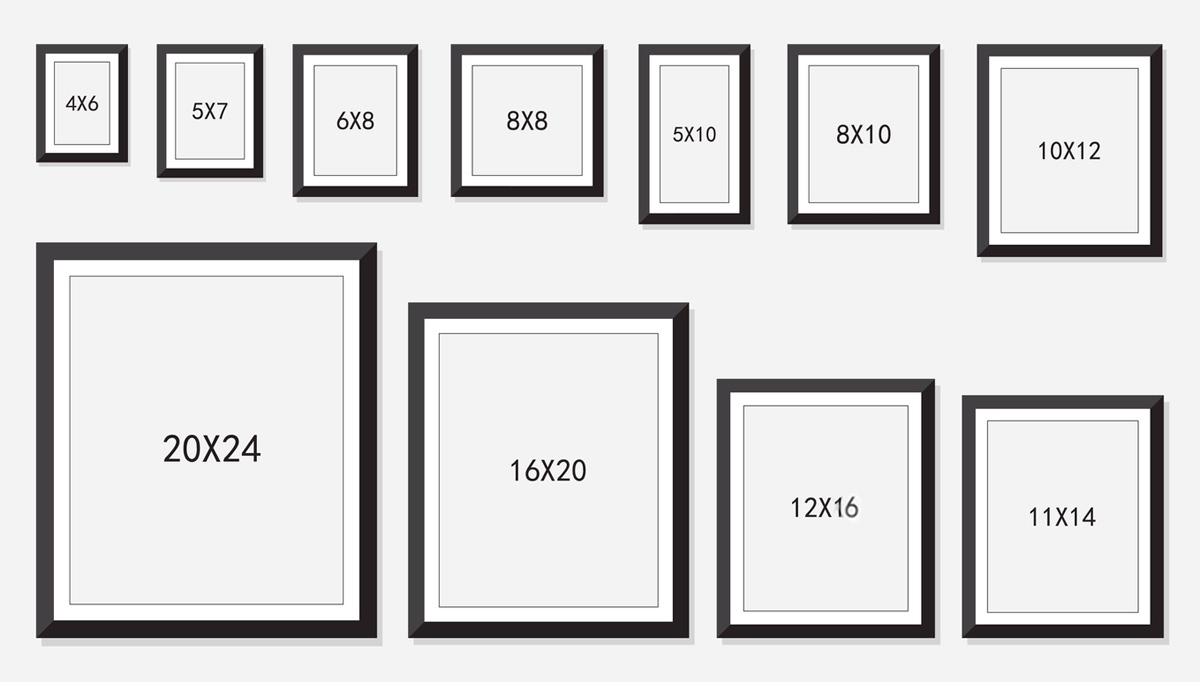
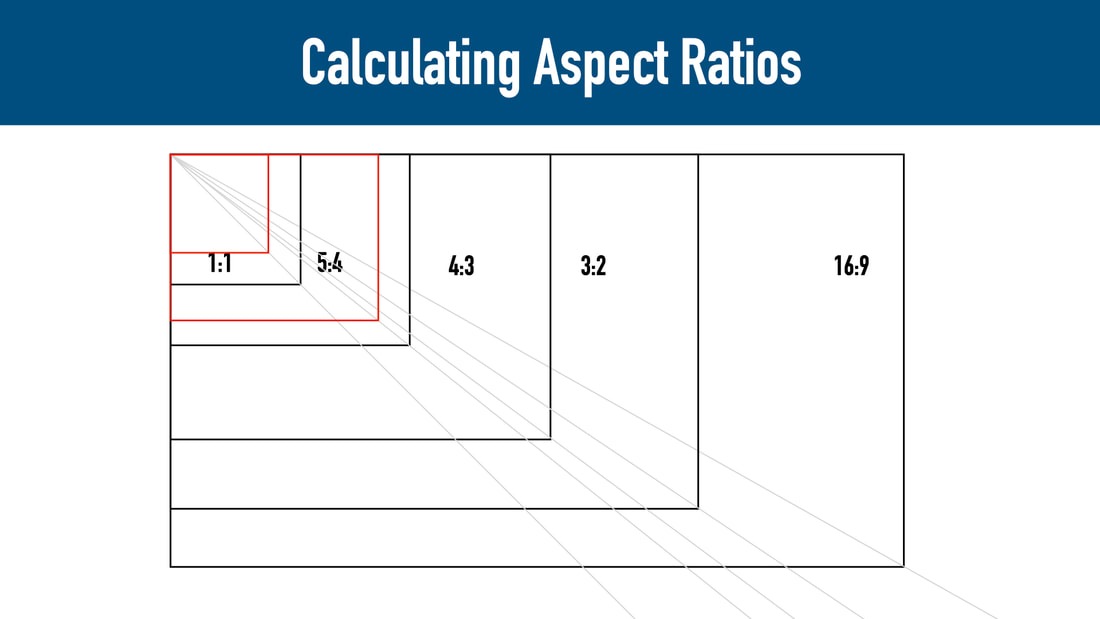

Here are some common print size groups:
2:3 Ratio
-
4×6
-
8×12
-
12×18
-
16×24
-
24×36
4:5 Ratio
-
8×10
-
16×20
-
24×30
5:7 Ratio
-
5×7
-
10×14
If your photo was taken in 2:3 and you order an 8×10, the top and bottom will be trimmed slightly.
How to Avoid Heavy Cropping
Here are a few simple tips:
✔ Leave space around people when taking photos
✔ Don’t place faces too close to the edge
✔ Choose a print size that matches your photo’s shape
✔ Upload the full-resolution image
For example:
If your photo is 2:3, choose 8×12 instead of 8×10 to avoid extra cropping.
What About Photo Quality?
Cropping removes pixels from your image.
That means:
-
The more you crop
-
The larger you print
…the more quality matters.
For the best results:
-
Use original files (not screenshots)
-
Avoid downloading from social media
-
Upload the highest resolution version
If you’re unsure whether your image is good enough for a large print, we’re happy to help.
Can I Add Borders Instead of Cropping?
Yes.
Instead of trimming the photo, you can add white borders. This keeps the whole image and changes the final shape with extra space around it.
Some people like this look, especially for framed prints.
Final Thoughts
Understanding aspect ratio helps you:
-
Avoid cut-off edges
-
Prevent stretched images
-
Choose the right print size
-
Get better-looking prints
Once you know the difference between a 4×6 and an 8×10, printing becomes simple.
At Buffalo Island Printing, we handle every print with care and attention to detail so your photos look their best.
0 comments